← Back to 360 rental
Coming soon to the App Store · Closed beta in progress

The Flash 360 app for your platform

Turn your iPhone into the camera for your 360 business: record, edit, upload to your Google Drive and hand out the QR code, all from the same phone.

User manualComplete app guide in PDF · 24 pages ViewDownload

Your iPhone records. The app adds the frame. Your clients take the video home with a QR code.

A look inside

See the app inside

Swipe to see the main screens.

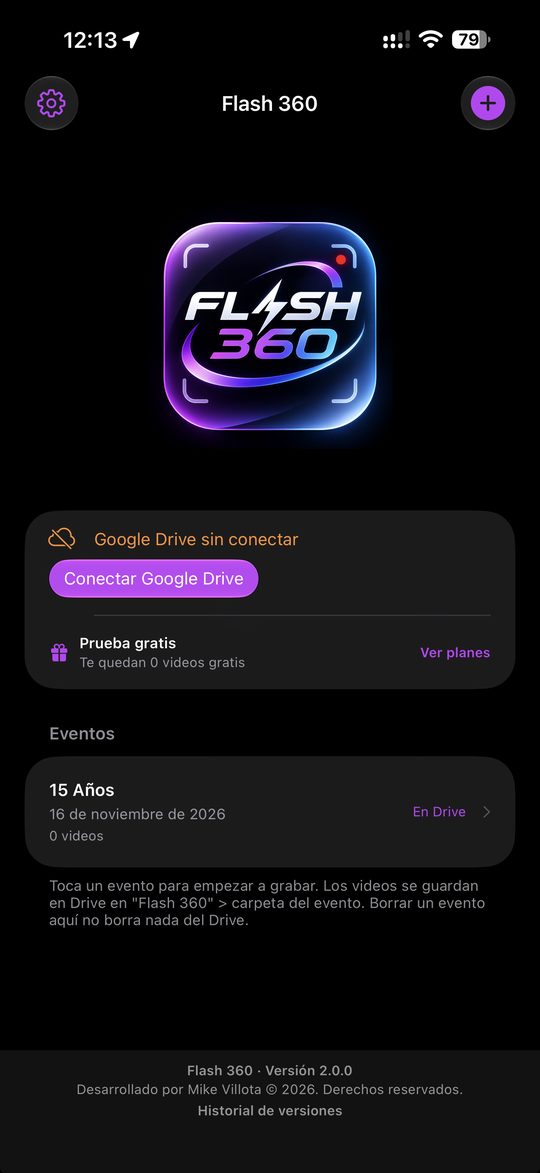
App screen: Your events
Your eventsCreate an event and every video lands in its own Google Drive folder.
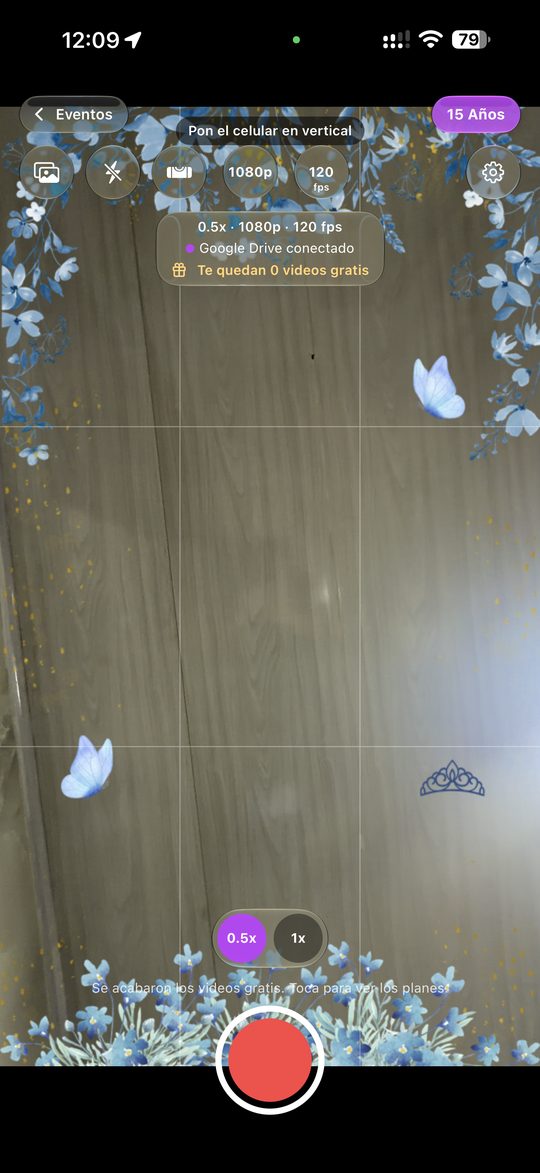
App screen: Record with your frame
Record with your frameSee the event frame live, with 0.5x ultra wide and slow motion.
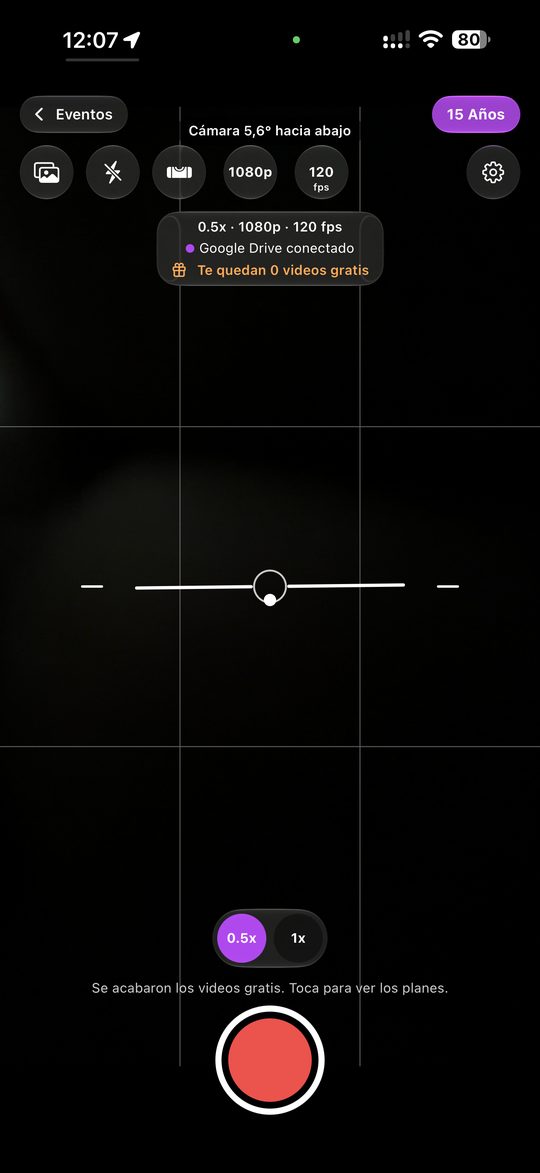
App screen: Level and guides
Level and guidesLine up the phone with the horizon line and grid before recording.
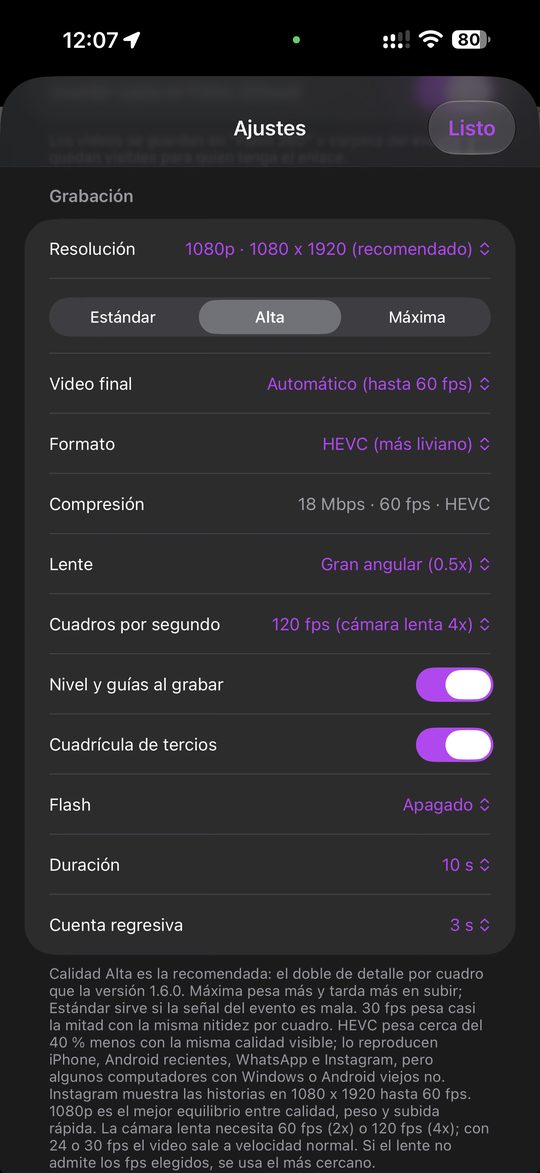
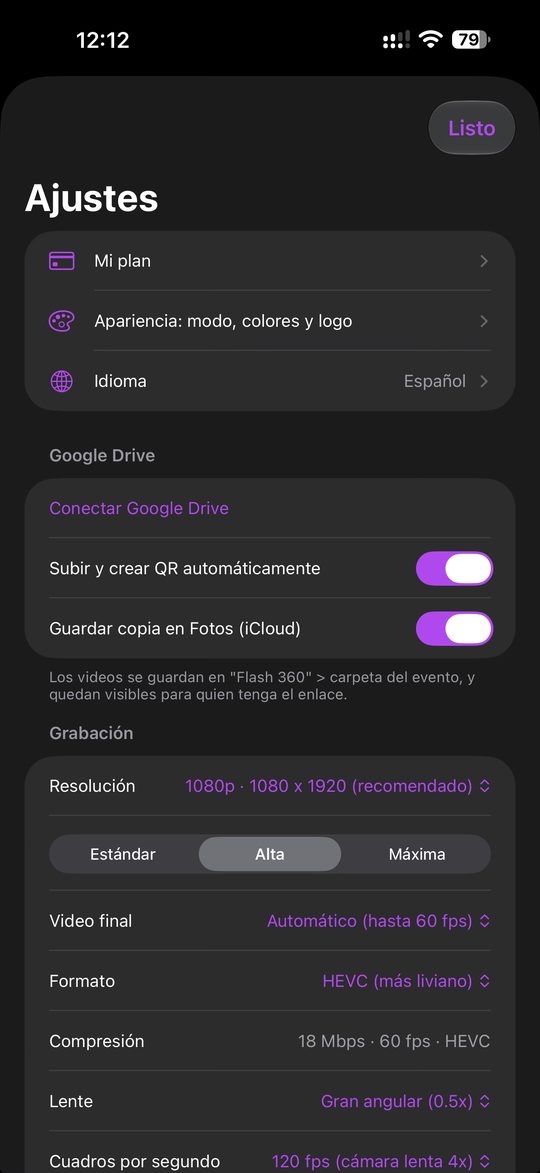
App screen: Quality your way
Quality your wayResolution, frame rate, lens, duration and countdown.
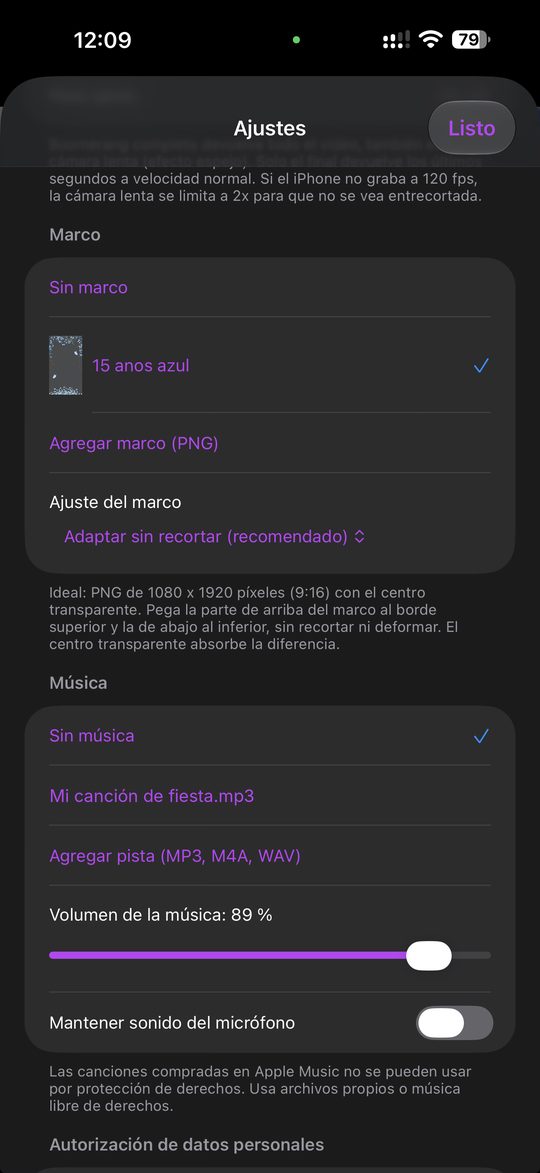
App screen: Frames and music
Frames and musicLoad your PNG frames and tracks, and set the music volume.
App screen: Automatic Drive and QR
Automatic Drive and QREach video uploads automatically and the QR code is ready to share.
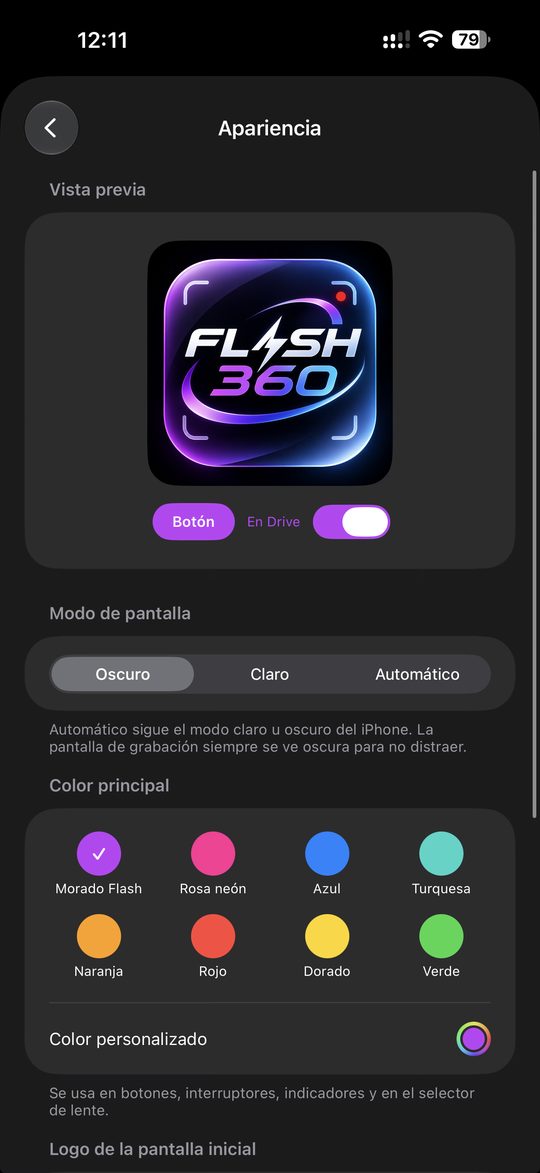
App screen: Your style
Your styleDark or light mode, main color and home screen logo.
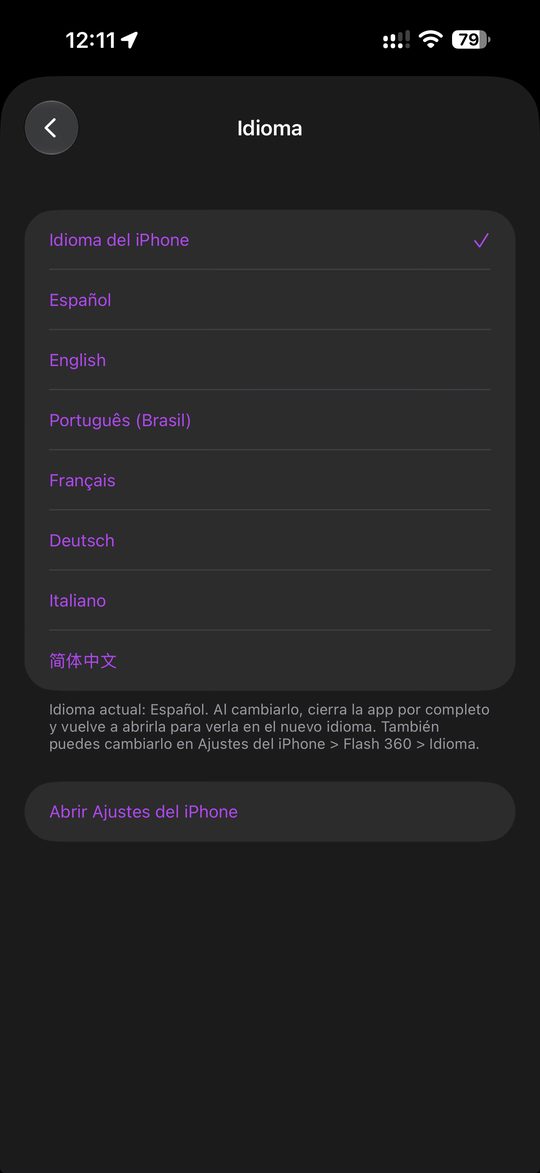
App screen: 7 languages
7 languagesSpanish, English, Portuguese, French, German, Italian and Chinese.
New · Mirror Mode

Printed photos with your magic mirror

The app also works in magic mirrors and photo booths: the iPhone takes the photo, the screen shows guests live and every photo comes out framed and ready to print.

How Mirror Mode works in the Flash 360 app HDMI Smile! Valentina's 15th 12 Magic mirror 3 Bluetooth remotethe operator shoots Valentina's 15th 20 · 12 · 2026 4 Framed photoready to print 5 Google Driveevent folder 6 Computerpick the photos 7 Printerguests take it home How Mirror Mode works in the Flash 360 app HDMI Smile! Valentina's 15th 12 Magic mirror 3 Bluetooth remotethe operator shoots Valentina's 15th 20 · 12 · 2026 4 Framed photoready to print 5 Google Driveevent folder 6 Computerpick the photos 7 Printerguests take it home
  1. iPhone in the mirrorIt sits at the top of the mirror and takes the photo with the app in Mirror Mode.
  2. Vertical screenThrough USB-C to HDMI, the TV shows what the phone sees so guests can get ready.
  3. Bluetooth remoteThe operator fires the shot from the remote; the app runs the countdown.
  4. Framed photoThe app adds the event frame and lays the photo out on the sheet, ready to print.
  5. Google DriveEach photo uploads automatically to the event folder.
  6. ComputerOpen the folder, review the photos and pick the ones to print.
  7. Photo printerIt prints on site and guests take their photo home.

Feature in development. If you have a magic mirror and want to try it, join the beta.

Closed beta

Let's build the Flash 360 app together

We're opening a closed beta for 360 platform operators and entrepreneurs. Use the app before anyone else, tell us what you need and help us make it better.

  • Early access to the app and every new feature through TestFlight.
  • Direct line to the developer to suggest ideas and report bugs.
  • Partners in growth: your ideas become features in the app.
🎁 Partner incentive plan: coming soon
Developer's WhatsApp +57 318 167 4602
Support email flash360.soporte@gmail.com
Use the subject "Beta Flash 360" and include your name, city and iPhone model.
Features

Everything you need to run your platform

0.5x ultra wide or 1x

Record vertical video in 720p, 1080p or 4K, from 24 to 240 frames per second.

Slow motion with ramp

Slows down and speeds up smoothly, like professional platforms.

Mirror boomerang

The video plays back in reverse, in slow motion too.

Frames and music

Load your PNG frames and tracks; the frame fits edge to edge.

Instant QR

The code appears as soon as the video ends, without waiting for the upload.

One Drive folder per event

Each event gets its own folder with numbered videos in your Google Drive.

Continuous recording

Keep recording while videos are processed and uploaded in order.

Level and guides

Horizon line and grid to line up the phone before recording.

Plans

Start free

Start free. You pay with your Apple account; peso amounts are approximate and the App Store shows the final price.

To get started

3 free videos

Free

Every feature, no card needed. When you've used them, pick a plan.

One-time payment

Event pass

USD 9.99approx. COP 33,000

Unlimited videos for 24 hours. For occasional events.

Subscription

Pro monthly

USD 24.99approx. COP 82,500 a month

Unlimited videos all month. Cancel anytime from your iPhone.

Subscription · Save 33%

Pro yearly

USD 199.99approx. COP 660,000 a year

Same as monthly, for about COP 55,000 a month.

Requirements: iPhone 11 or newer System: iOS 17 or later Cloud: a Google account for Drive
Support

Need help with the app?

Email support with your iPhone model and a description of the problem. We'll get back to you as soon as possible.

Support email flash360.soporte@gmail.com
Looking to rent for your event? 360 platform rental
Go to rentals